---
title: The Session Window
description: Tiles, source toggles, rows, child sessions and your marks.
---
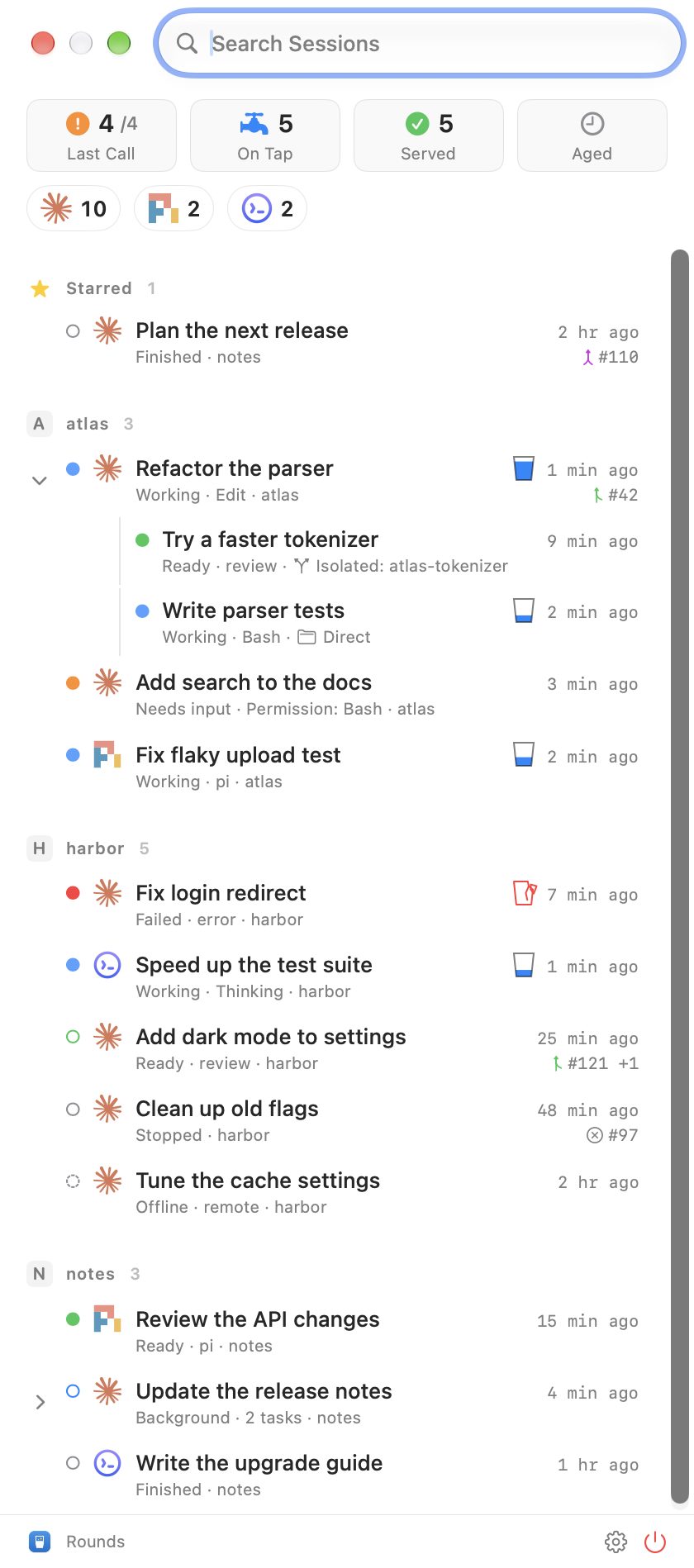
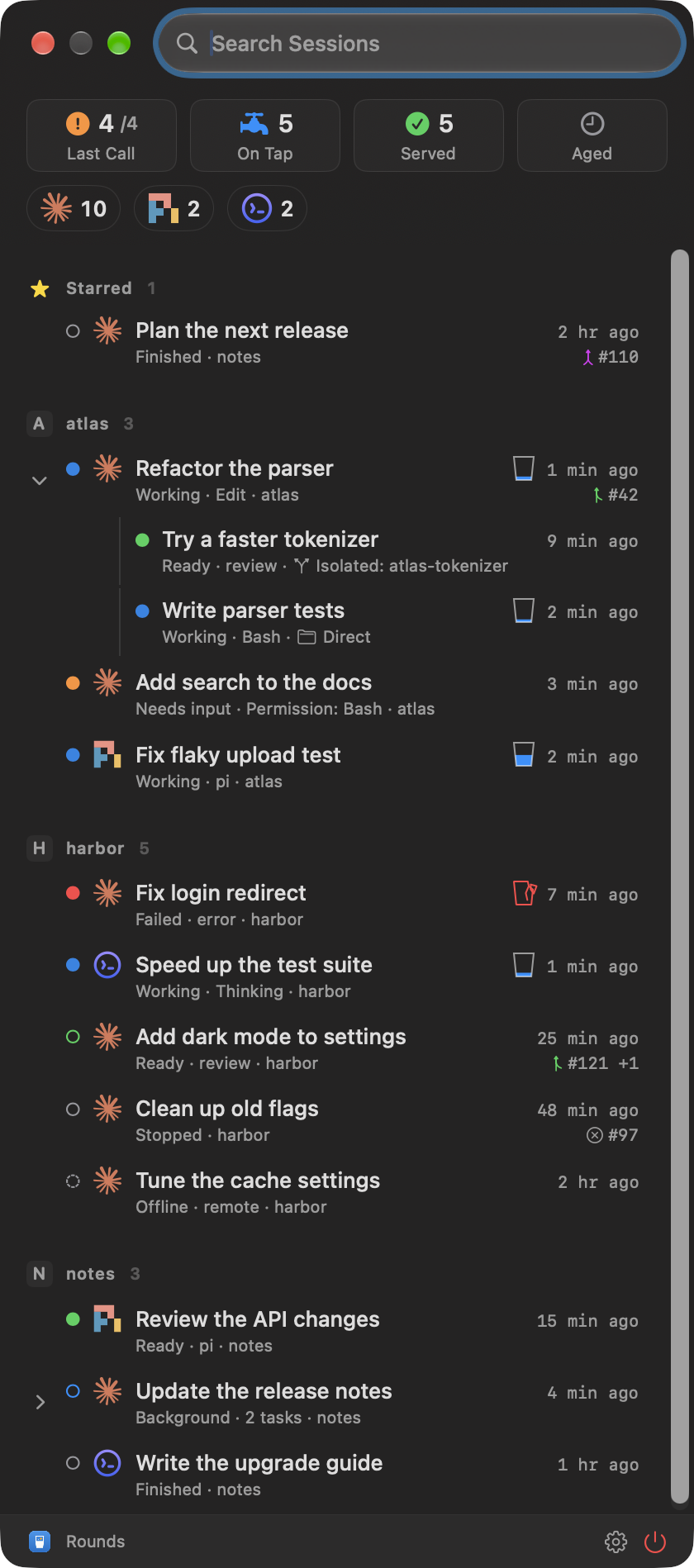
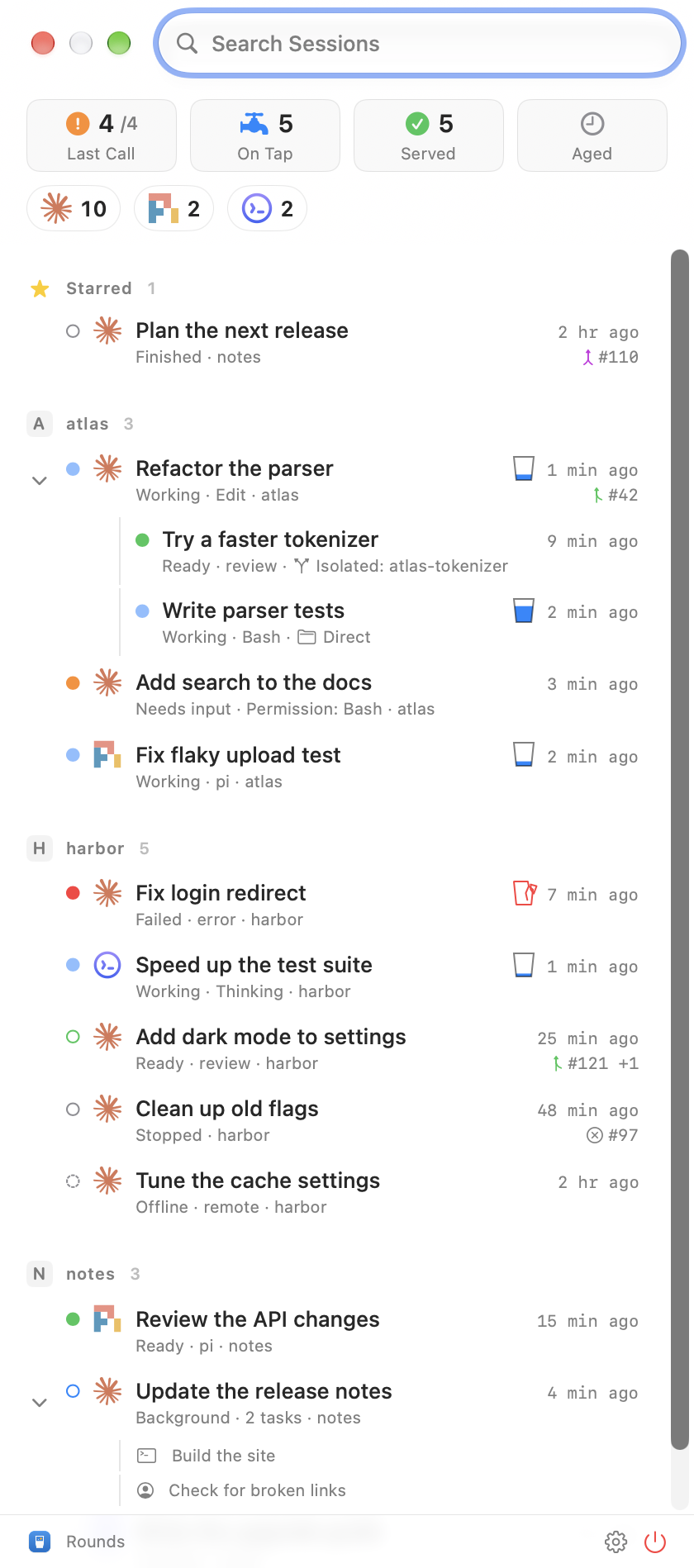
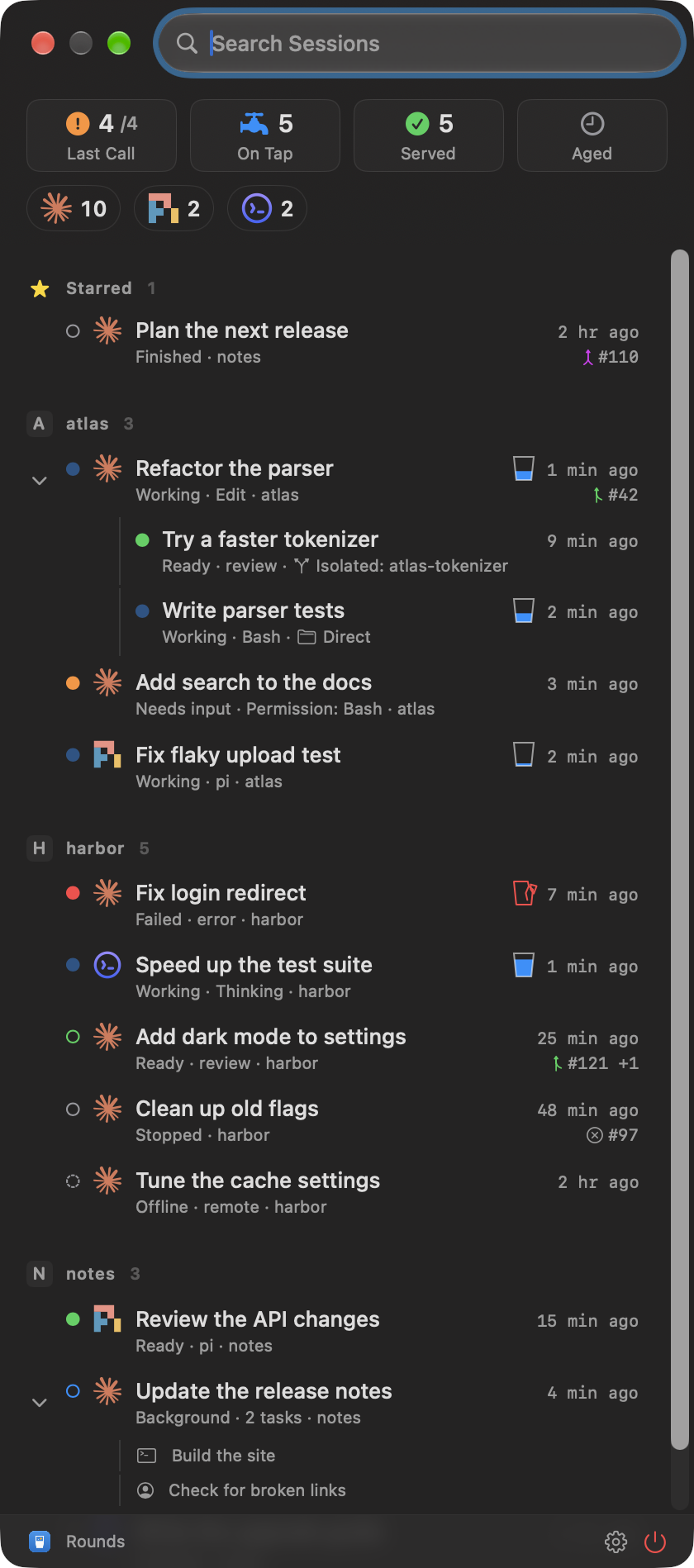
The session window slides out from the pill. It shows the sessions of every source that is on.
 ## Tiles
Each tile is a filter for one group of states. A click shows only that group. A click on the selected tile goes back to All.
| Tile | Plain name | States in it |
| --- | --- | --- |
| Last Call | Your Turn | Each session you have not seen since its state changed: Needs input, Failed, Ready, Finished, Stopped. A session that waits for you stays after you open it. |
| On Tap | Running | Working, Background |
| Served | Quiet | Finished, Stopped and Offline sessions you have seen |
| Aged | Older | Sessions with no activity for more than a day (you can change the time) |
Settings > Filters sets which states Last Call counts and when a session is Aged. Right-click Last Call for Mark All as Seen. [States](/states) lists each state and the words each source uses for it.
Hints and VoiceOver use the plain names.
## Source toggles
Under the tiles, one toggle shows or hides all sessions of one source. A hidden source stays in the row, dimmed. Rounds keeps your choice.
## Another round?
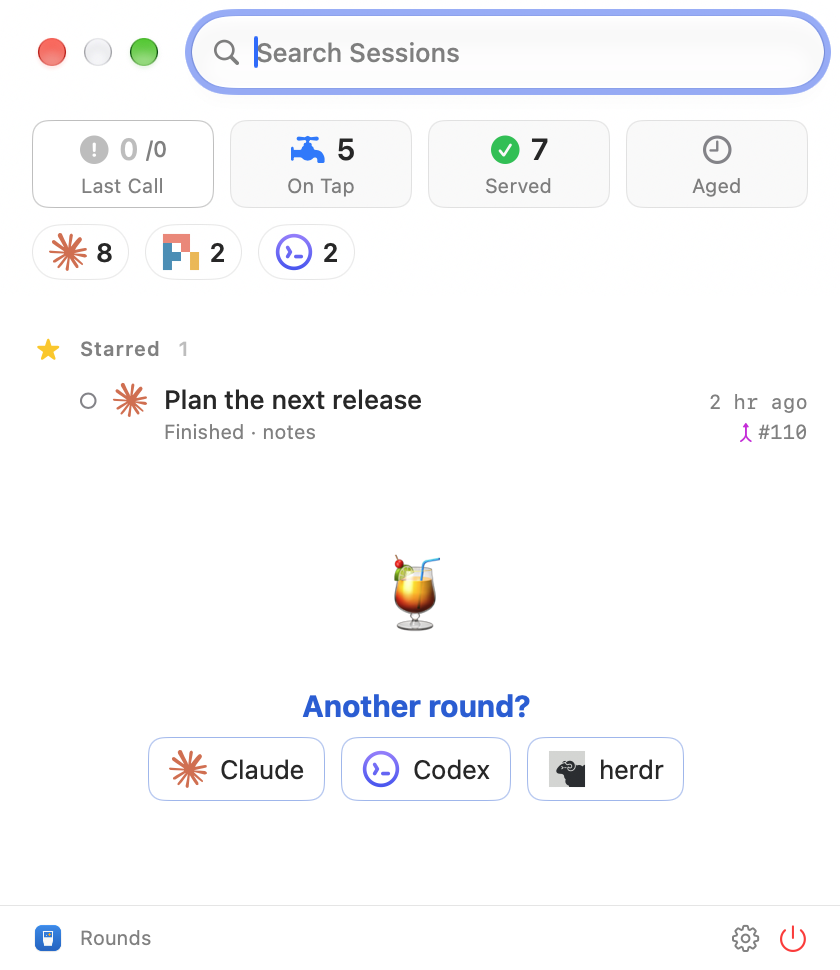
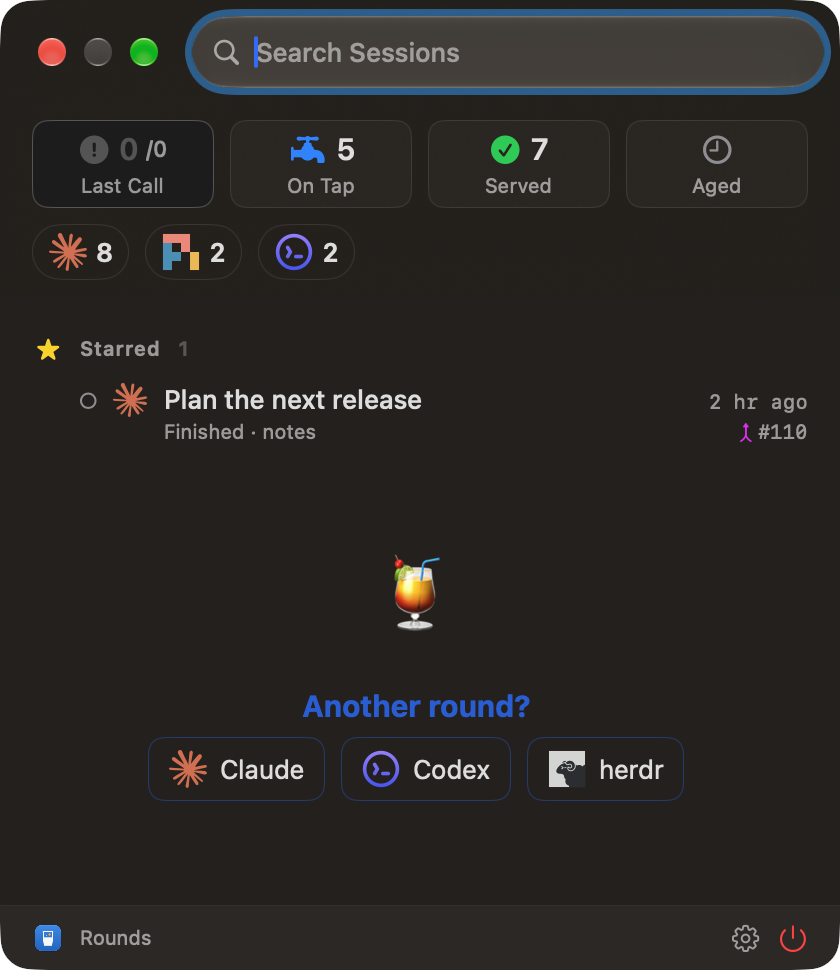
When Last Call has no session for you, its list says "Another round?" and shows one button for each source that is on. A click on a button starts a new session there.
## Tiles
Each tile is a filter for one group of states. A click shows only that group. A click on the selected tile goes back to All.
| Tile | Plain name | States in it |
| --- | --- | --- |
| Last Call | Your Turn | Each session you have not seen since its state changed: Needs input, Failed, Ready, Finished, Stopped. A session that waits for you stays after you open it. |
| On Tap | Running | Working, Background |
| Served | Quiet | Finished, Stopped and Offline sessions you have seen |
| Aged | Older | Sessions with no activity for more than a day (you can change the time) |
Settings > Filters sets which states Last Call counts and when a session is Aged. Right-click Last Call for Mark All as Seen. [States](/states) lists each state and the words each source uses for it.
Hints and VoiceOver use the plain names.
## Source toggles
Under the tiles, one toggle shows or hides all sessions of one source. A hidden source stays in the row, dimmed. Rounds keeps your choice.
## Another round?
When Last Call has no session for you, its list says "Another round?" and shows one button for each source that is on. A click on a button starts a new session there.
 ## Rows
A row shows the state dot, the source icon, the title, the state and its detail, the project folder and the time. A working row has a small glass that fills and empties while the agent works. A pull request mark shows the PR number. Click it to open the PR, or choose from a menu when a session has more than one.
A double-click opens the session in its app. You can change this to one click in Settings.
## Child sessions
A session that another session started shows under its parent. Click the chevron to fold or unfold it.
- Direct: the child works in its parent's folder.
- Isolated: the child works in a folder of its own.
## Rows
A row shows the state dot, the source icon, the title, the state and its detail, the project folder and the time. A working row has a small glass that fills and empties while the agent works. A pull request mark shows the PR number. Click it to open the PR, or choose from a menu when a session has more than one.
A double-click opens the session in its app. You can change this to one click in Settings.
## Child sessions
A session that another session started shows under its parent. Click the chevron to fold or unfold it.
- Direct: the child works in its parent's folder.
- Isolated: the child works in a folder of its own.
 ## Your marks
| Mark | Keys | Effect |
| --- | --- | --- |
| Star | ⌘S | The session shows at the top of the list, and under a tile when it is in that tile. |
| Mark as Done | ⌘D | The session leaves the list until it has newer activity. |
| Hide | ⌘⌫ | The session shows only in a search, until you unhide it. |
Right-click a row to use these marks. ⌘Z undoes Mark as Done and Hide.
## Your marks
| Mark | Keys | Effect |
| --- | --- | --- |
| Star | ⌘S | The session shows at the top of the list, and under a tile when it is in that tile. |
| Mark as Done | ⌘D | The session leaves the list until it has newer activity. |
| Hide | ⌘⌫ | The session shows only in a search, until you unhide it. |
Right-click a row to use these marks. ⌘Z undoes Mark as Done and Hide.